# Taking the terminal seriously in the age of AI coding agents
Published: 2026-08-28
Tags: cli
---
These days I am spending more time in the terminal app than any other environment on my development machine. Most of it comes down to using agentic harnesses such as Claude Code, Codex CLI, and more.
Previously, for the last two months, I have been using Otty terminal app and left my Ghostty setup in between. However, after constantly running across one or two frustrations with the app itself, I have decided to go back to use Ghostty as my main terminal app. By the way I still keep iTerm2 around as a backup.
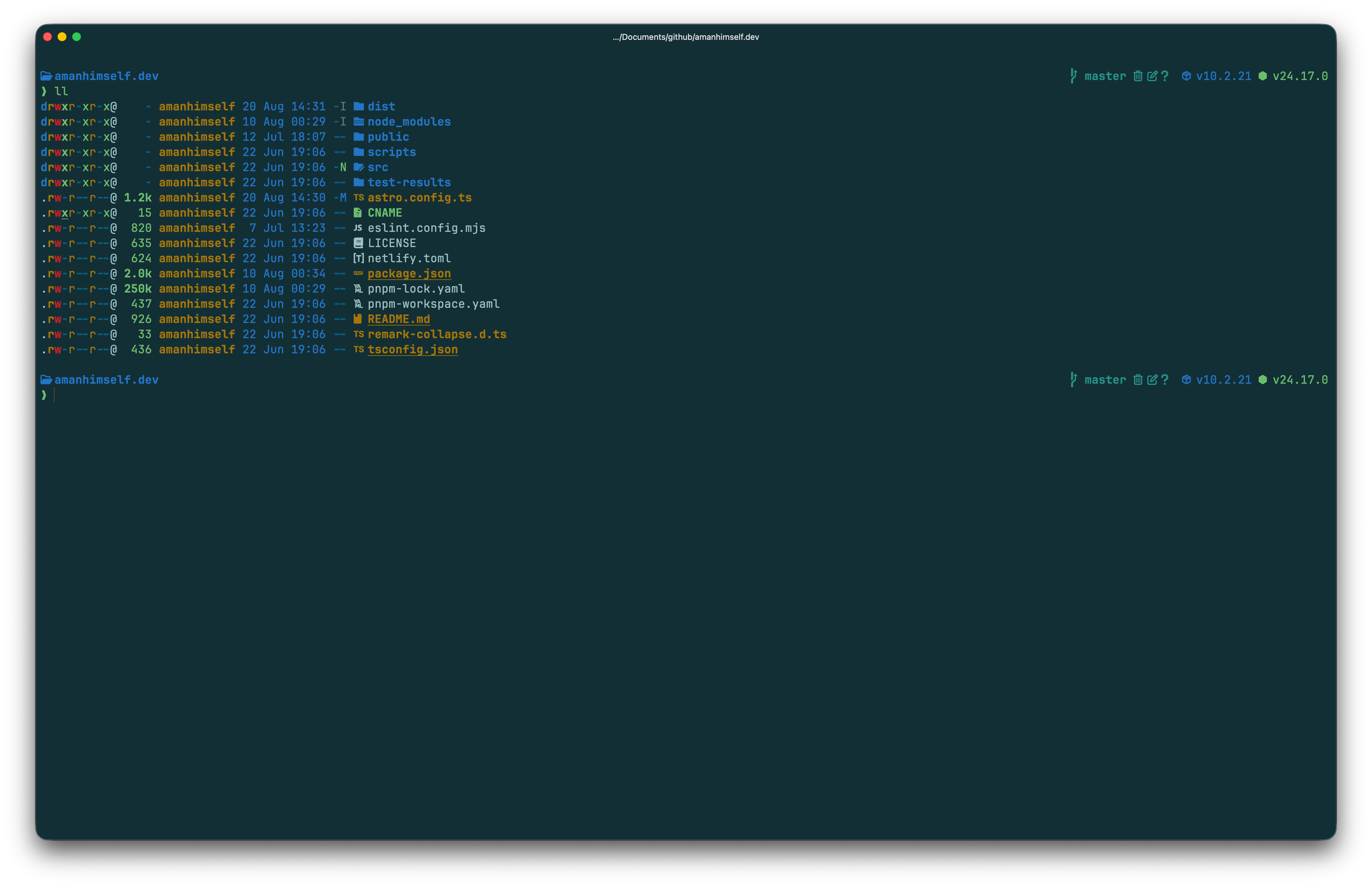
In Ghostty, I have been using some preconfigured settings and updating configuration to my taste. I started with Solarized Dark Higher Contrast theme and here is how my terminal window looks like at the moment:
 The configuration I have applied to Ghostty so far is minimal and to my own taste. I am not going to go into details about each configuration option in this post since I have already [written a post a few months back about it](/blog/using-ghostty/).
Here's my current **Ghostty** configuration:
```shell
# .config/ghostty/config
theme = Solarized Dark Higher Contrast
background-opacity = 0.9
background-blur-radius = 20
font-family = JetBrainsMono Nerd Font
font-size = 18
font-thicken = true
macos-titlebar-style = tabs
macos-option-as-alt = left
keybind = alt+left=unbind
keybind = alt+right=unbind
cursor-style = block
cursor-style-blink = false
shell-integration-features = ssh-terminfo,ssh-env
shell-integration = zsh
tab-inherit-working-directory = true
split-inherit-working-directory = true
window-decoration = true
window-padding-x = 8
window-padding-y = 6
confirm-close-surface = always
```
In the previous screenshot, the background blur and opacity are not noticeable but my desktop's background wallpaper is slightly visible when I am using Ghostty. Solarized Dark with a higher contrast makes the text feel less dull in the theme itself and is something I want to give try for next few coming days before deciding to move to another theme.
There are multiple themes that Ghostty comes with and to view the list quickly, you can use the `ghostty +list-themes` command in a terminal window:
The configuration I have applied to Ghostty so far is minimal and to my own taste. I am not going to go into details about each configuration option in this post since I have already [written a post a few months back about it](/blog/using-ghostty/).
Here's my current **Ghostty** configuration:
```shell
# .config/ghostty/config
theme = Solarized Dark Higher Contrast
background-opacity = 0.9
background-blur-radius = 20
font-family = JetBrainsMono Nerd Font
font-size = 18
font-thicken = true
macos-titlebar-style = tabs
macos-option-as-alt = left
keybind = alt+left=unbind
keybind = alt+right=unbind
cursor-style = block
cursor-style-blink = false
shell-integration-features = ssh-terminfo,ssh-env
shell-integration = zsh
tab-inherit-working-directory = true
split-inherit-working-directory = true
window-decoration = true
window-padding-x = 8
window-padding-y = 6
confirm-close-surface = always
```
In the previous screenshot, the background blur and opacity are not noticeable but my desktop's background wallpaper is slightly visible when I am using Ghostty. Solarized Dark with a higher contrast makes the text feel less dull in the theme itself and is something I want to give try for next few coming days before deciding to move to another theme.
There are multiple themes that Ghostty comes with and to view the list quickly, you can use the `ghostty +list-themes` command in a terminal window:
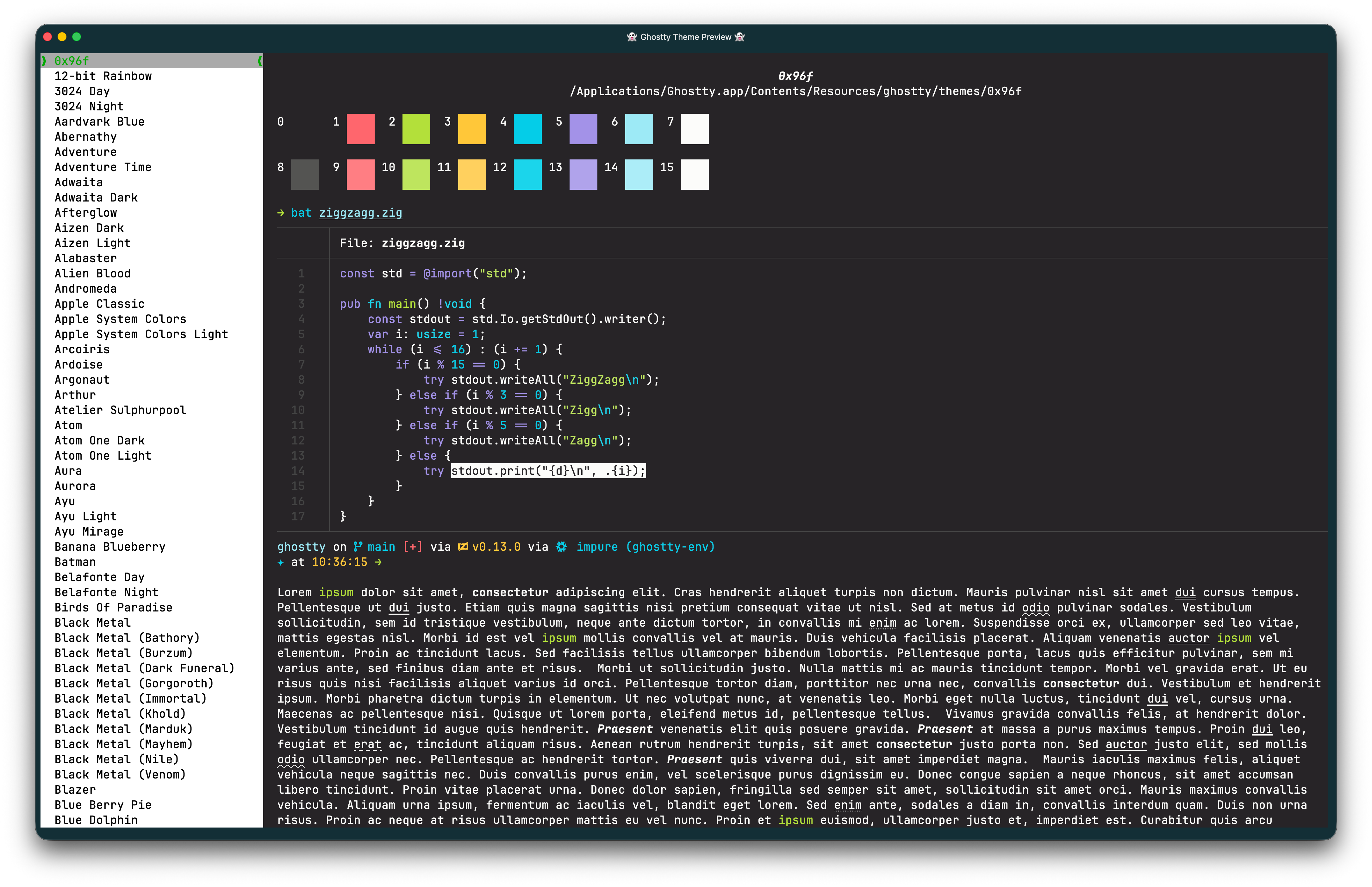 This list of themes is larger than the iTerm2 and I think the most I have ever seen included by default in a terminal app. Nice to see that people who spend time in terminals these days are taken care of by the Ghostty team.
Most of my daily workflow revolves around my work which is documentation and using agent harnesses. I switch between apps like terminal, GitHub desktop app, VS Code, and Obsidian a lot while I am working. I got curious recently about how much of my work I can shift to one single terminal app instead of switching between different apps. Claude Code and other harnesses moved me into the terminal land, to be honest.
We will see how it goes for me. Just wanted to share some quick thoughts before I dive deeper into the nerdy rabbit hole. If you have tips and/or suggestions what other part of my work I operate without leaving the terminal window, reach out to me.
This list of themes is larger than the iTerm2 and I think the most I have ever seen included by default in a terminal app. Nice to see that people who spend time in terminals these days are taken care of by the Ghostty team.
Most of my daily workflow revolves around my work which is documentation and using agent harnesses. I switch between apps like terminal, GitHub desktop app, VS Code, and Obsidian a lot while I am working. I got curious recently about how much of my work I can shift to one single terminal app instead of switching between different apps. Claude Code and other harnesses moved me into the terminal land, to be honest.
We will see how it goes for me. Just wanted to share some quick thoughts before I dive deeper into the nerdy rabbit hole. If you have tips and/or suggestions what other part of my work I operate without leaving the terminal window, reach out to me.