# Prop types in React and TypeScript
Published: 2021-06-28
Tags: typescript
---
[PropTypes](https://www.npmjs.com/package/prop-types) provide built-in typechecking capabilities when writing a React app. Checking the type of prop in a React component in a large application helps catch bugs at run-time.
Typically in a React app, you will need to install the package `yarn add prop-types`. Then, inside a component, explicitly define the type of a prop.
```js
import React from 'react';
import PropTypes from 'prop-types';
// A component that accepts "color" prop
function FavoriteColor({ color }) {
return My favorite Color is {color}
;
}
FavoriteColor.propTypes = {
color: PropTypes.string
};
// Parent component
function App() {
return (
);
}
export default App;
```
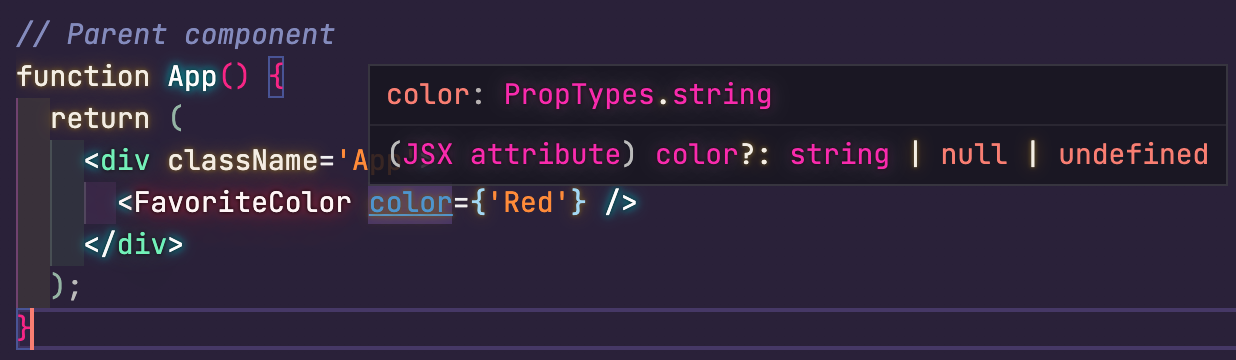
Above code snippet will run fine, and there no errors or warnings yet. If you use VS Code, hover over the prop `color` in the `App` component. You will see the expected data type on the prop.
But what if in the `App` component, the value of prop `color` is changed to a number by mistake. The component will still render in the web browser.
```js
function App() {
return (
);
}
```
But if you open the browser's Developer Tools and go to console, you will see the error.
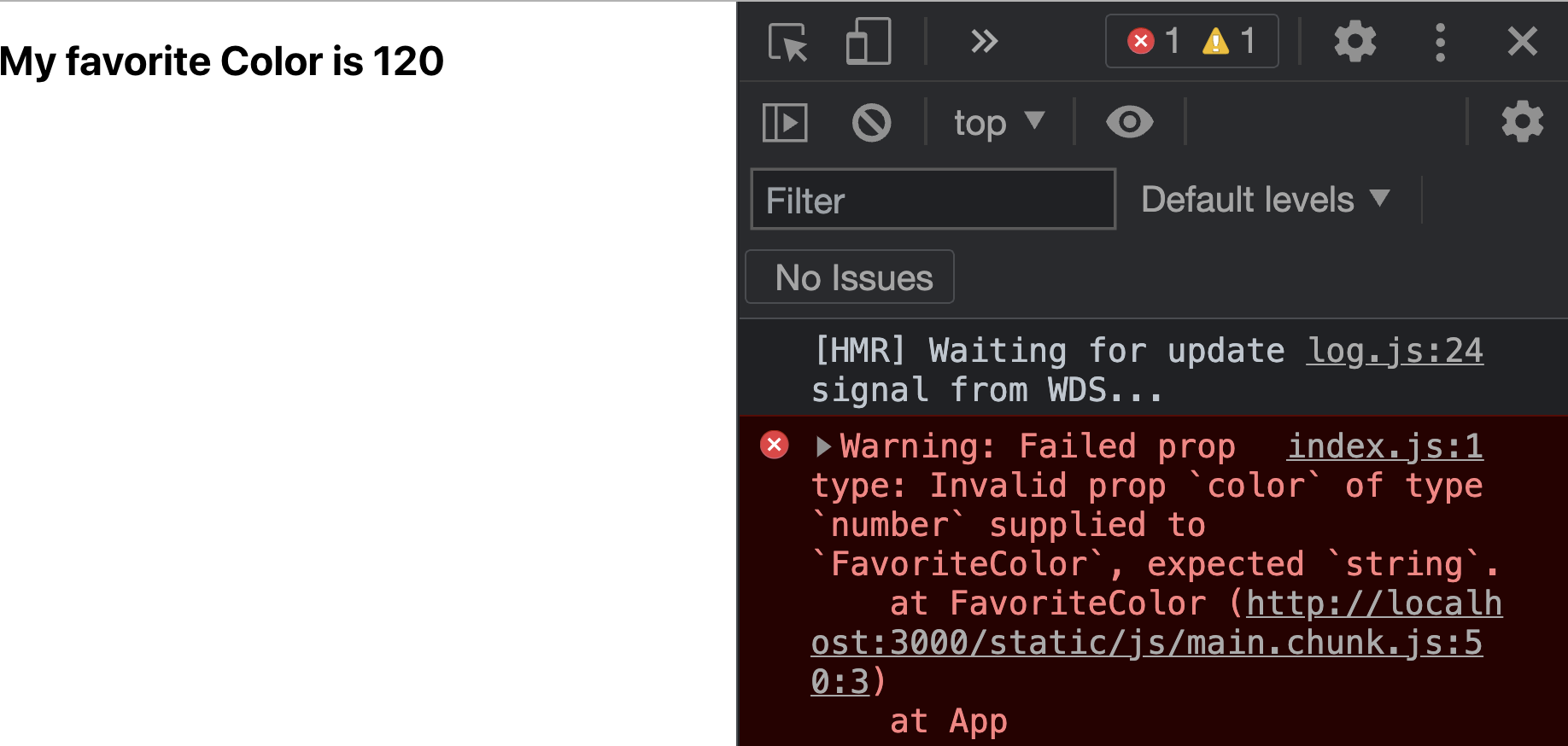
The `prop-types` package provide validation at run-time. Not a great developer experience (imagine large applications). Using TypeScript in a React application can make the developer experience better.
## PropTypes with TypeScript and React
Take the previous code snippet, copy it in a `.tsx` file. Here is how the components will look. Notice the red squiggly line beneath the prop `color`.
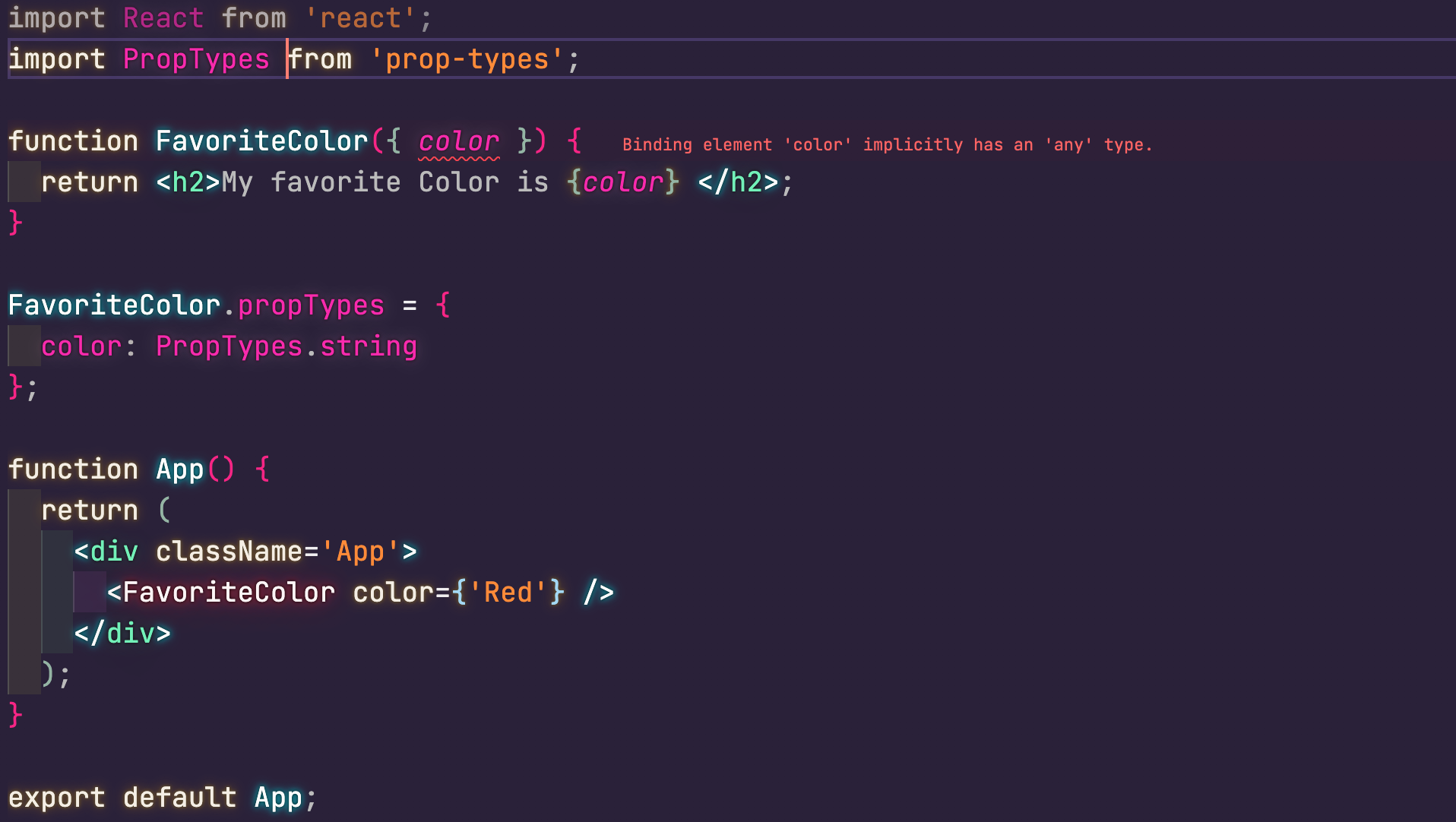
TypeScript is smart enough not to compile the code if a prop has a type of `any`.
## Inferring PropTypes in TypeScript
`PropTypes` package offers `InferProps` that enables to infer the types for an existing prop-type definition on a component. It uses the `@types/prop-types` package to create type definitions.
To use `InferProps`, import it from the `prop-types` library and then define type declarations on the components prop.
```tsx
import PropTypes, { InferProps } from 'prop-types';
function FavoriteColor({ color }: InferProps) {
return My favorite Color is
;
}
FavoriteColor.propTypes = {
color: PropTypes.string
};
```
Code compiles, and there are no errors.
## Using type keyword to declare prop type definitions
TypeScript comes with a `type` keyword. It can be used to define prop types without using the `prop-types` package.
```tsx
type Props = {
color: string;
};
function FavoriteColor({ color }: Props) {
return My favorite Color is {color}
;
}
```
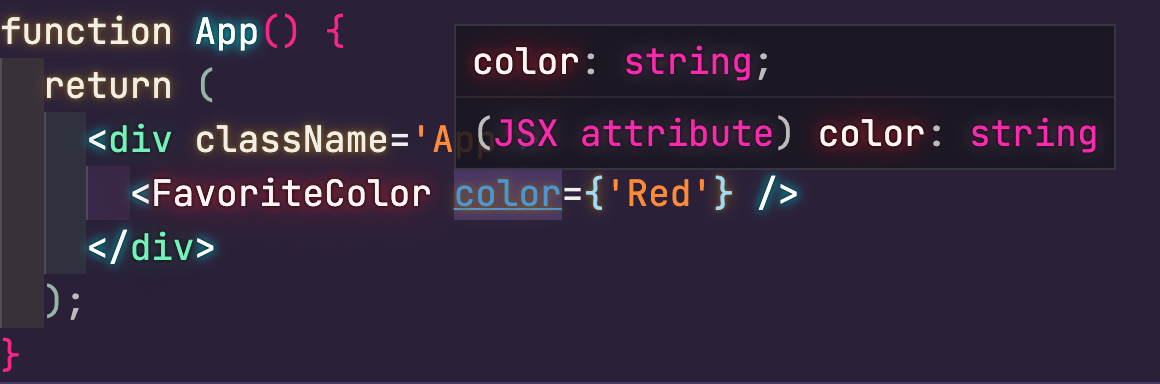
The VS Code IntelliSense will detect the type of `color` prop in the `App` component. It will allow you to provide anything other than a `string` value for this prop.
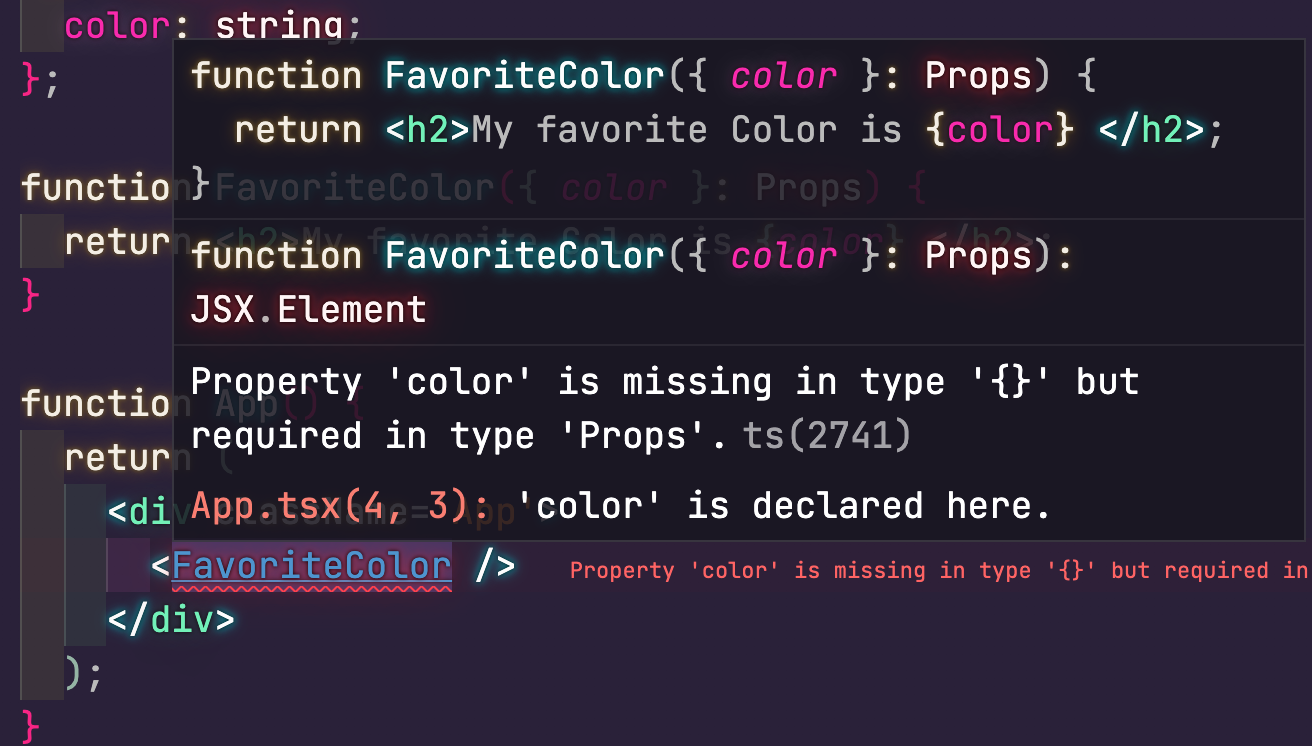
## Props are required in TypeScript
Another difference to notice here is that, with TypeScript, all props required by default. In the `prop-types` package, all props are optional by default. To make a prop required, you will have to use `.isRequired` explicitly.
With TypeScript, that is not the case.
## Optional props in TypeScript
If a component has an optional prop, add a question mark when declaring prop type:
```tsx
type Props = {
color?: string;
};
```