# New blog theme again
Published: 2026-05-09
Tags: blogging, claude-code
---
In January 2025, I shared an [update](/blog/new-blog-theme-and-colors/) on updating the blog theme and code block themes. The Astro setup that builds this blog uses Shiki, which makes it easier to switch between any supported code theme.
_What about the blog's primary and accent colors?_
In the age of LLMs, it has to be quick update right? Yes, I used Claude Design screenshots to the previous version of this blog and with some instructions like using a specific saturated blue color. It iterated over four themes.
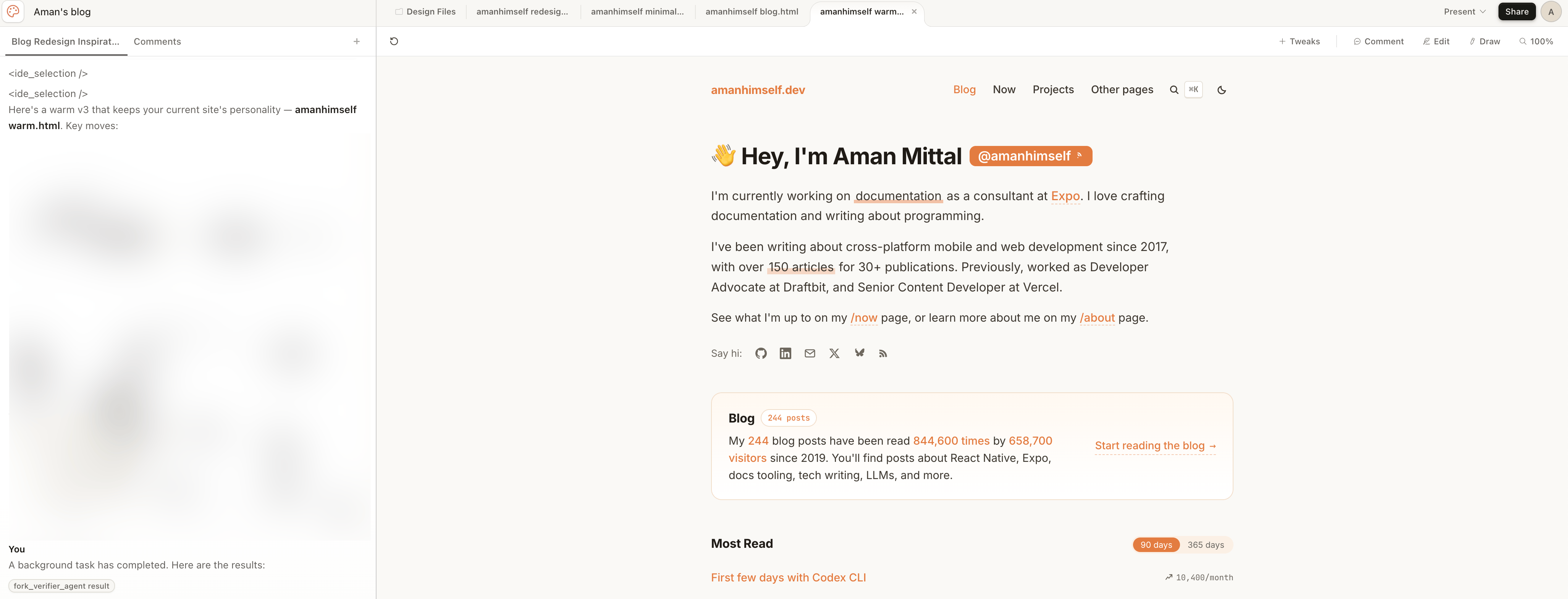 I have to say Claude Design is impressive. It read my old-blog screenshots like a reference, and let me steer through chat, inline comments, and adjustment sliders it generated on the fly for whatever I was tweaking. When I was done and got the idea for which direction to pick, I came back to the Claude Code in the terminal window, who was waiting for me. I took those designs, told Claude Code to tone down a bit and ended up with the current theme of the blog.
When using Claude Design, make sure to keep an eye on its usage limit. It burns out fast since it likes to overdo the initial instructions or fails to follow the exact prompt.
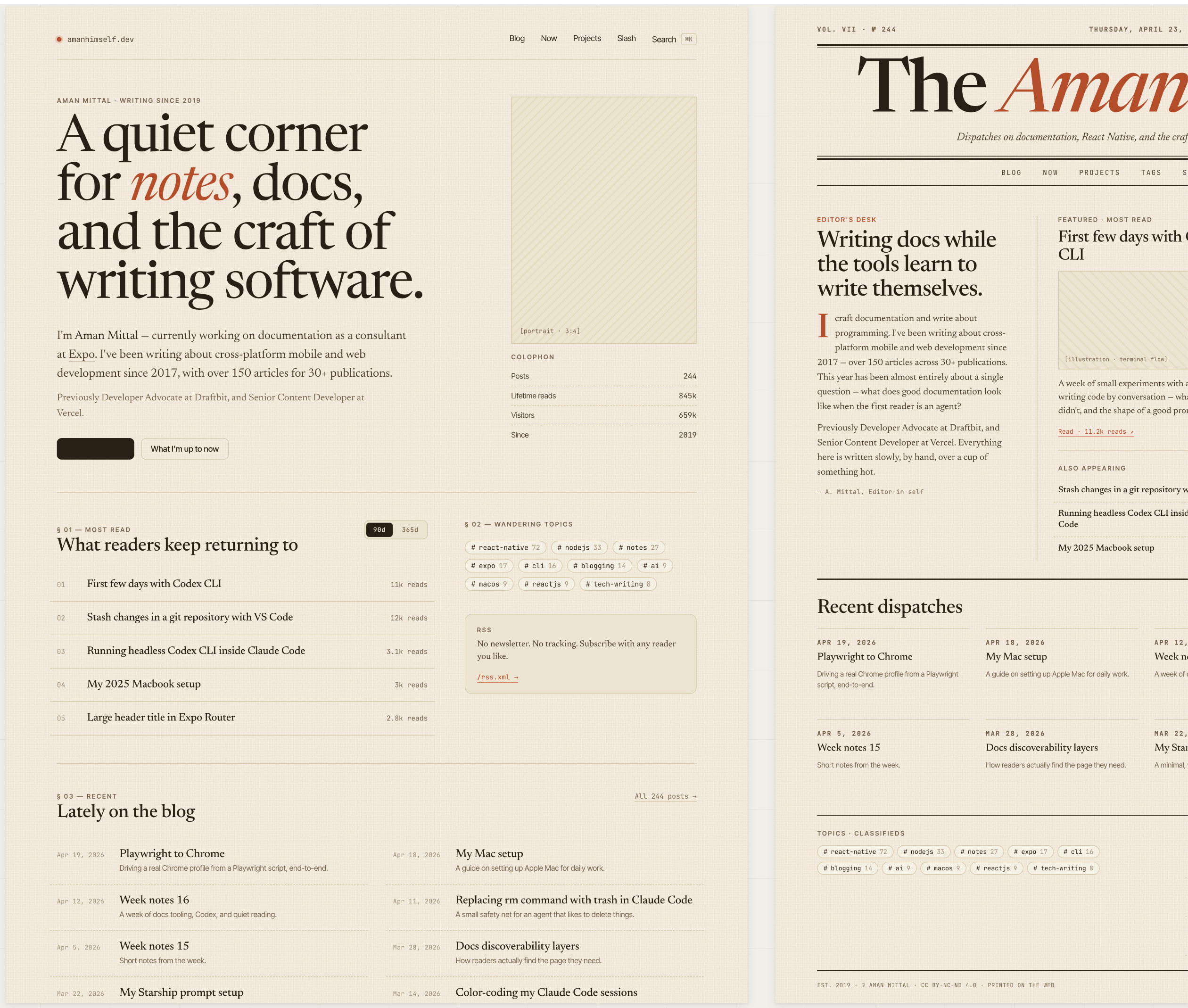
Here's one example where I let it run _wild_ and it ended-up turning my blog into a complete magazine:
I have to say Claude Design is impressive. It read my old-blog screenshots like a reference, and let me steer through chat, inline comments, and adjustment sliders it generated on the fly for whatever I was tweaking. When I was done and got the idea for which direction to pick, I came back to the Claude Code in the terminal window, who was waiting for me. I took those designs, told Claude Code to tone down a bit and ended up with the current theme of the blog.
When using Claude Design, make sure to keep an eye on its usage limit. It burns out fast since it likes to overdo the initial instructions or fails to follow the exact prompt.
Here's one example where I let it run _wild_ and it ended-up turning my blog into a complete magazine:
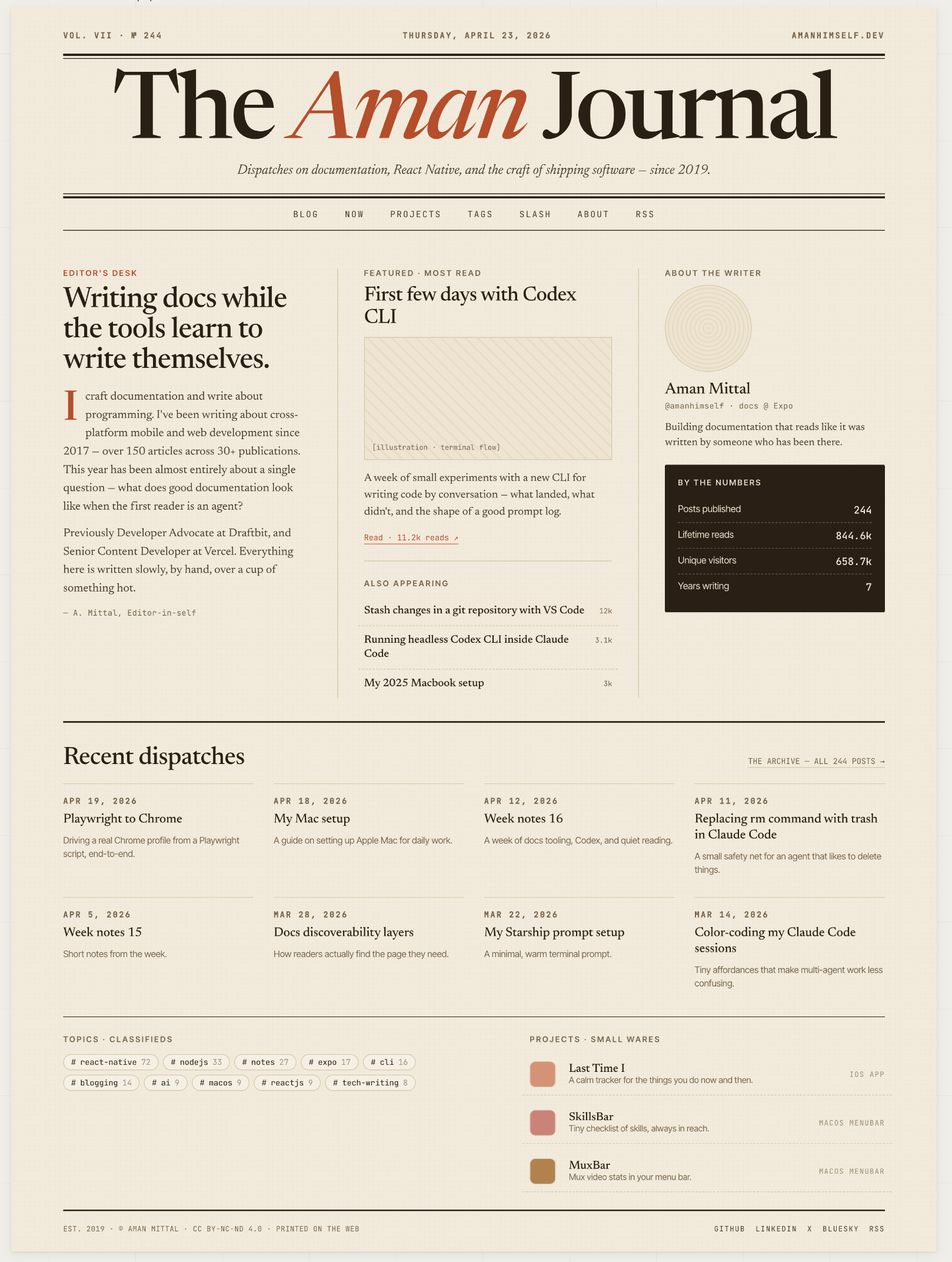
 And then, into a newspaper:
 Updating your blog's theme might sound trivial with tools like Claude Design to come up with something to your liking and Claude Code to implement it your codebase. What important now is where you draw the line.